Payment schedules
LeaseRail reads the payment schedule out of a lease contract and exports it.
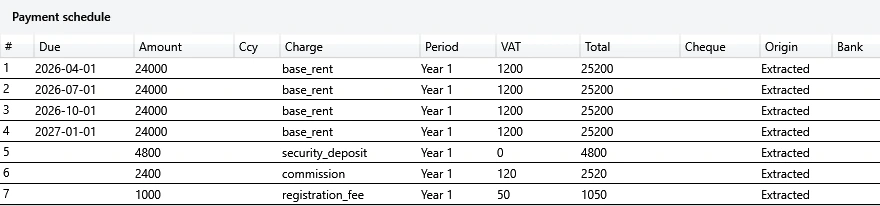
The schedule sits under the fields it belongs to, one row for each payment with its due date, amount, charge and VAT.
For Windows, Mac and iPhone
LeaseRail reads a folder of tenancy-contract PDFs on your own computer and turns them into spreadsheet data. You check each field against the part of the page it came from, then export to Excel or CSV.
Free to try with all the features, three documents at a time.
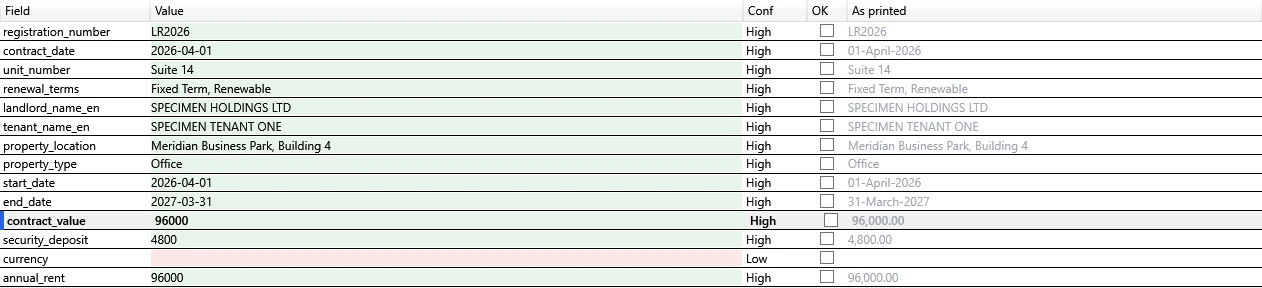
Fieldsspecimen-commercial-clean.pdf
| Field | Value | Conf | OK | As printed |
|---|---|---|---|---|
| LR2026 | High | LR2026 | ||
| 2026-04-01 | High | 01-April-2026 | ||
| Suite 14 | High | Suite 14 | ||
| Fixed Term, Renewable | High | Fixed Term, Renewable | ||
| SPECIMEN HOLDINGS LTD | High | SPECIMEN HOLDINGS LTD | ||
| SPECIMEN TENANT ONE | High | SPECIMEN TENANT ONE | ||
| Meridian Business Park, Building 4 | High | Meridian Business Park, Building 4 | ||
| Office | High | Office | ||
| 2026-04-01 | High | 01-April-2026 | ||
| 2027-03-31 | High | 31-March-2027 | ||
| 96000 | High | 96,000.00 | ||
| 4800 | High | 4,800.00 | ||
| currency | Low | |||
| 96000 | High | 96,000.00 |
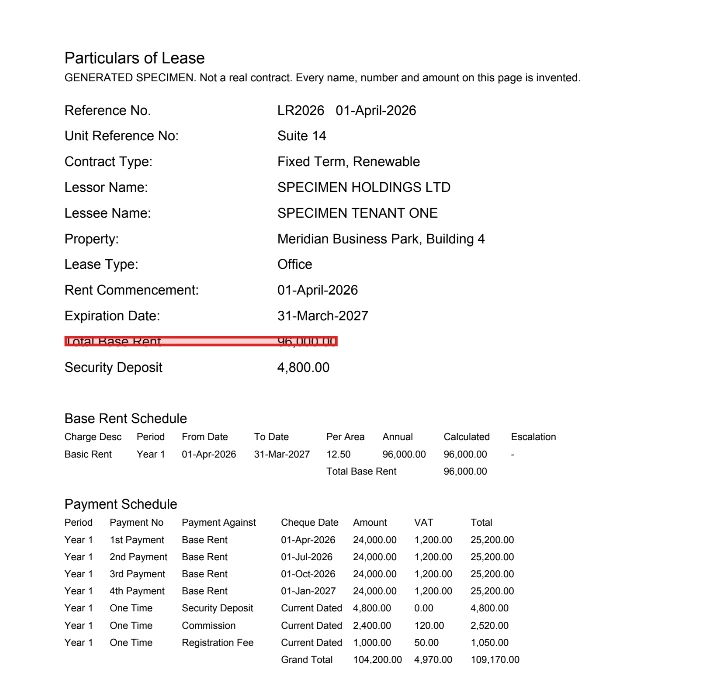
Sourcecontract_value
Particulars of Lease
GENERATED SPECIMEN. Not a real contract. Every name, number and amount on this page is invented.
Base Rent Schedule
Payment Schedule
contract_value · page 1 · specimen-commercial-clean.pdf
How it works
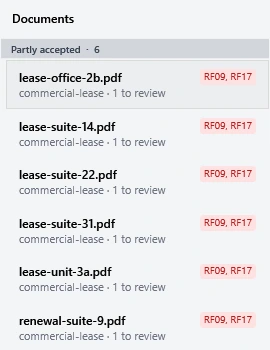
LeaseRail reads the contracts and lists each one with what it found. On Windows a batch holds up to 200 contracts, and you can stop a long run and resume it later.
LeaseRail marks how confident it is in each value. It flags a doubtful value instead of guessing, and a set of checks written from an accountant's habits raises a red flag on a value that does not sit right.
Click a field and LeaseRail shows the part of the page it read the value from, so you confirm the extraction instead of trusting it.
You correct what needs it and export to Excel or CSV. On Windows you can also append into a workbook you already have.

The review step
The grid keeps the value LeaseRail read beside the text as the contract prints it. Select a field and the source page opens beside it with that line boxed, so checking a number takes one look.
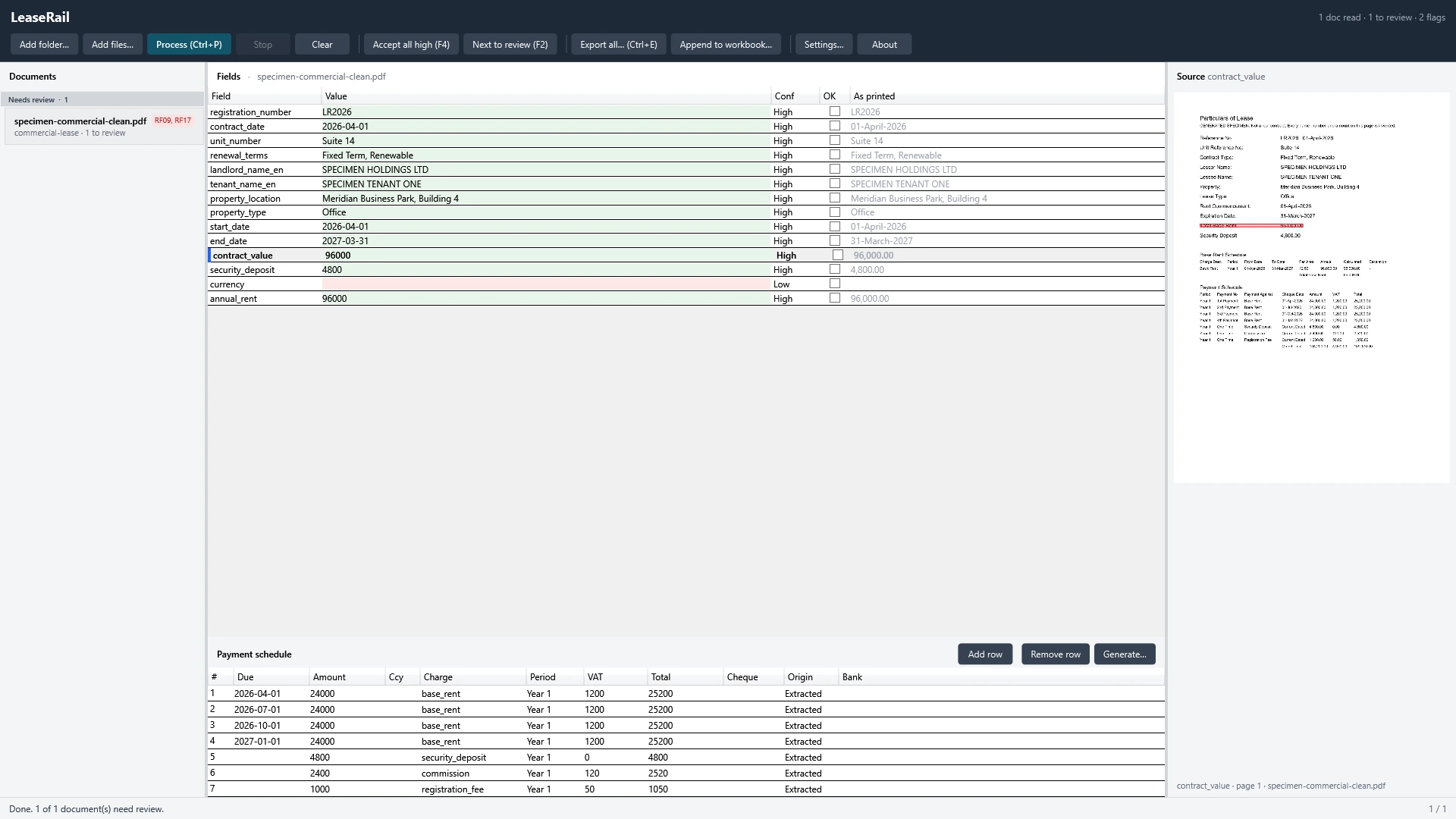
LeaseRail marks its confidence in each field.
You accept the high-confidence values in one step and work through the rest.
The grid shows each value the way the contract prints it.
A folder, not a document
LeaseRail reads each contract in the folder and keeps the ones that still need you at the top. Accept all high ticks the values it is confident in, and Next to review takes you to the next one that needs a look.
On Windows the bundled OCR engine reads scanned contracts, including pages fed into the scanner sideways.
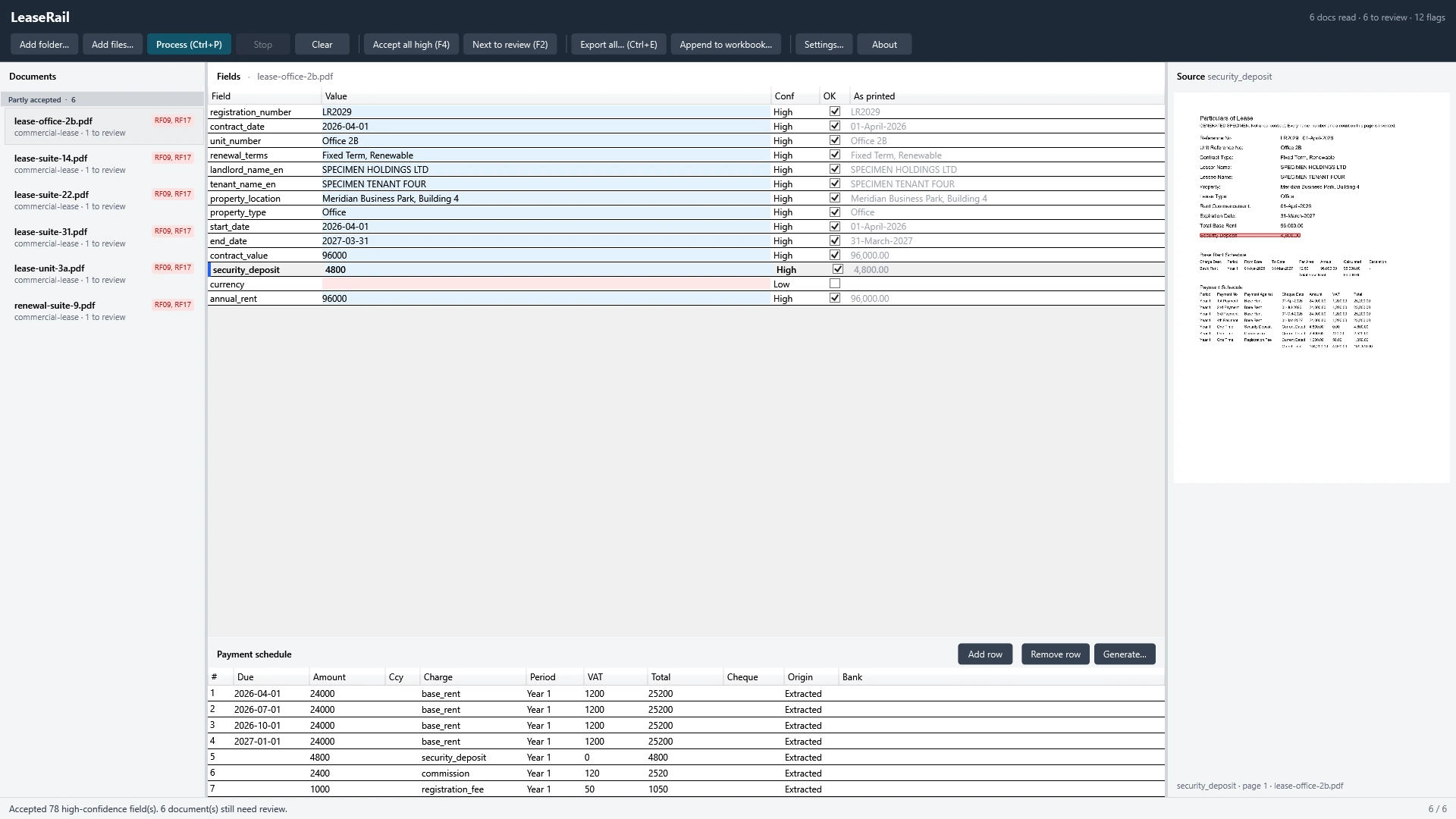

Payment schedules
The schedule sits under the fields it belongs to, one row for each payment with its due date, amount, charge and VAT.
English and Arabic
It treats a bilingual document, with the same field printed in both languages, as the ordinary case. Arabic text keeps its direction in the grid, the preview and the exported workbook.

Export
On Windows you can also append the rows into a workbook you already have.
On your own computer
A tenancy contract carries names, identity numbers and bank details. LeaseRail reads and extracts on your own device.
LeaseRail has no account or sign-in, and we run no server for it.
LeaseRail does not upload your documents, and it collects no telemetry, analytics or usage statistics.
On Windows LeaseRail works with the network blocked. The Microsoft Store checks the licence and installs updates, as it does for other Store apps.
On Windows LeaseRail keeps no database of your contracts and clears its temporary working files. When you uninstall it, the exports you made are what stays behind.
Platforms
The same review screen runs on each one: the fields, the confidence marks, and the page with the line boxed.
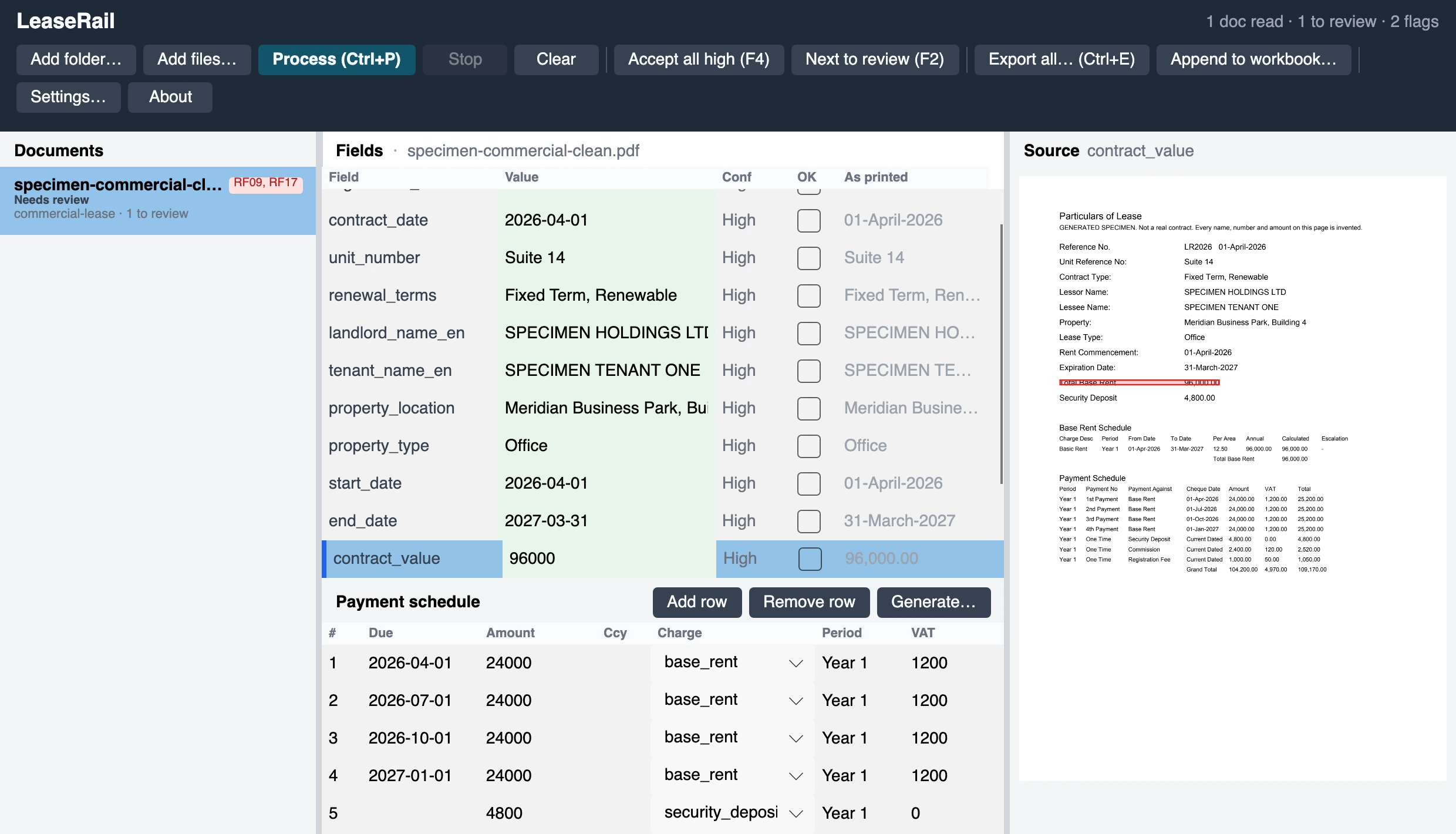
Point LeaseRail at a folder on your own Mac and check each value against the page it was read from.
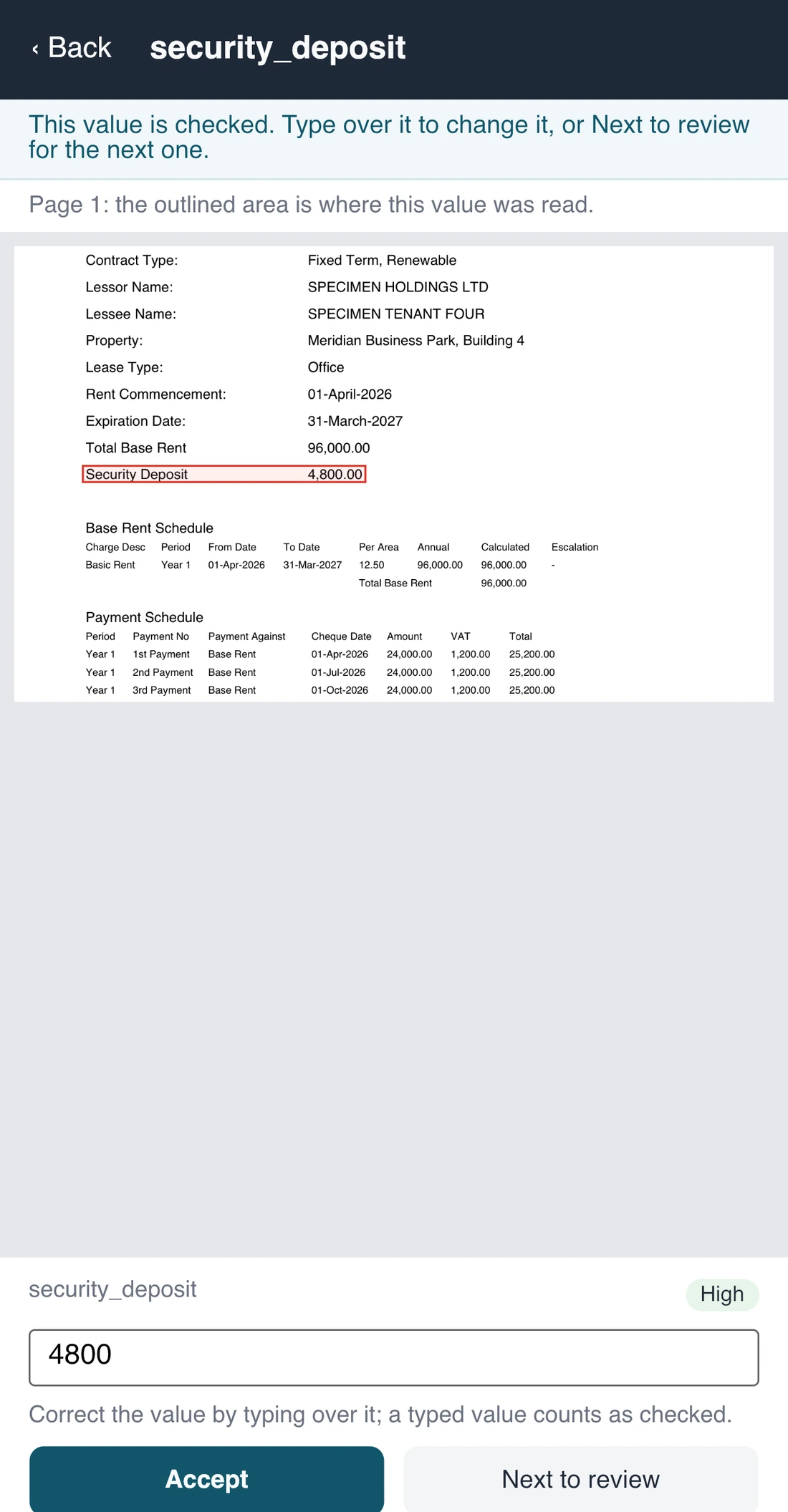
You choose the contracts in Files, tap a value to see where on the page it was read, and export to Excel or CSV through the share sheet.
What it does not do
LeaseRail reads the contract layouts it was built for. When it does not recognise a contract's layout, it marks the contract as not read instead of guessing, so try it on your own contracts first.
Pricing
LeaseRail has no subscription and no charge per document.
USD 49.99once
Freeto download, one purchase to unlock
Each store shows the price in your own currency.
Questions
LeaseRail reads tenancy contracts in the layouts it was built for, in English and in Arabic. When it does not recognise a contract's layout, it marks the contract as not read instead of guessing. The free trial runs all the features, so you can try it on your own contracts before you buy.
No. LeaseRail reads and extracts on your own device. It has no account or sign-in, we run no server for it, and it collects no telemetry, analytics or usage statistics.
Yes. LeaseRail reads scanned contracts on your device. On Windows the bundled OCR engine also reads pages fed into the scanner sideways.
Click the field and LeaseRail shows the part of the page it read the value from. It also marks how confident it is in each value and flags a doubtful one instead of guessing, so you know where to look first.
On Windows a batch holds up to 200 contracts, and you can stop a long run and resume it later. The trial reads three documents at a time.
No. You pay once and LeaseRail is yours, with no subscription and no charge per document.
No. LeaseRail extracts data from contracts and gives you rows you can check. It has no dashboards or renewal reminders, and it does not store, sync, sign or edit your documents.
The trial runs all the features, three documents at a time.